
How to Make a Huss Huss Huss AI Video on Genjutsu AI (Template + Two Photos)
Remake the Huss Huss Huss AI studio dance on Genjutsu AI: pick the homepage template, add two authorized adult photos for the left and right dancers, run Objects Swap, and download a ~16s 9:16 MP4.
The phrase Huss Huss Huss blew up in mid-November 2026 as TikTok audio from a Roblox storytime. On Genjutsu AI, the homepage gallery card named Huss Huss Huss AI is a different remake path: a vertical two-person studio dance you recreate with Objects Swap and two authorized adult photos — not a one-photo gym lip-sync tool.
Open the homepage, tap Huss Huss Huss AI, confirm the role mapping, generate, and download an MP4 ready for Reels / TikTok / Shorts after you attach whatever sound your account is allowed to use.
Genjutsu AI is an independent product and is not affiliated with, endorsed by, or sponsored by TikTok creator @larpniverse, Instagram account @tiny_maiko, Know Your Meme, or any third-party “Huss Huss Huss AI” generator site.
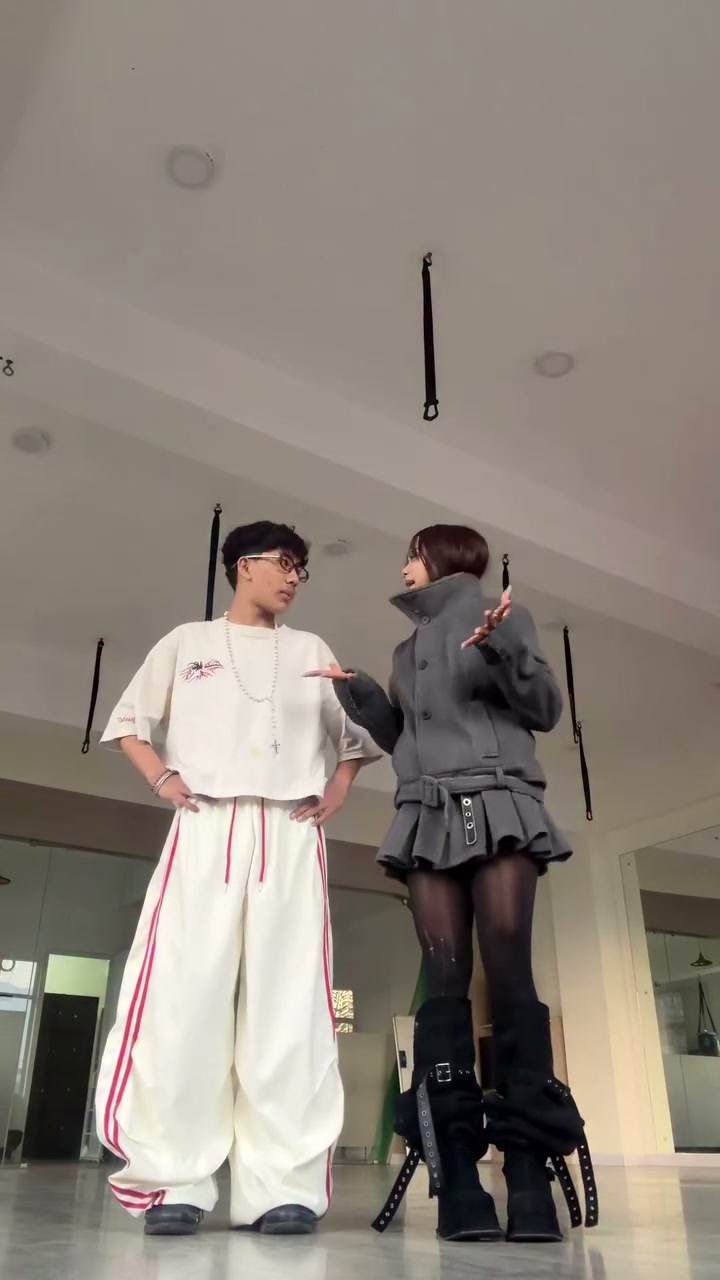
Homepage template motion (~16s, 9:16): keep the low camera, studio mirrors, and synced duo choreography while you swap the two dancers.
What the Huss Huss Huss AI template on Genjutsu is
On Genjutsu, Huss Huss Huss AI is an Apply template in the homepage motion gallery. It loads:
- A portrait 9:16 reference clip (~16–17 seconds in the shipped file)
- Objects Swap as the default mode
- A prompt that maps Person A (left dancer) → @Image 1 and Person B (right dancer) → @Image 2
The reference motion is a bright indoor studio: polished floor, hanging black straps, mirrors, low-angle full-body framing. Two people dance in sync — arm hits, steps, smiles — turn to show their backs mid-clip, then face the camera again. Your job is to replace those two people with likenesses you are allowed to use, while keeping camera path, room, and timing.
If you were searching for a single gym selfie that lip-syncs “In this town, everybody goes out partying except me,” that is a separate product category. Genjutsu’s card with this name is the duo dance Objects Swap path described here.
The audio trend vs this remake (so you do not mix them up)
According to Know Your Meme’s entry (added/updated 19 November 2026), the catchphrase and audio come from a Roblox TikTok by @larpniverse posted 13 November 2026. The character says everyone in town parties except him, then cuts to basketball practice with the panted line “Huss, huss, huss” (heavy breathing). KYM records 36 million+ views within six days and notes mid-November remixes and lip dubs (for example posts dated 15–16 November 2026).
Many AI sites later sold a gym remake: one waist-up photo, dumbbell curls, built-in trend audio. Put Me In’s how-to (published 22 November 2026) even notes that Know Your Meme’s write-up does not define that gym shoot as the canonical source clip.
Genjutsu’s homepage template instead follows a studio duo dance reference (public Instagram Reel captioned around “Huss huss” by @tiny_maiko). Same cultural keyword people type into search; different motion, different inputs. Say that clearly in your caption when you post.
Before you upload: authorization and safety
Only use a real-person photo when that person has authorized this use.
- Prefer photos of yourself and adults who explicitly allowed generation and publishing
- Everyone in every photo must be 18+
- Do not upload celebrities, public figures, or anyone who did not consent
- Do not use the result to impersonate someone or spread misleading content
- Label AI-generated media when the platform requires it
Genjutsu expects you to confirm rights over every likeness you upload. If you cannot show permission, do not run the job.
What you need
- The Huss Huss Huss AI template on the Genjutsu AI homepage (gallery → Use template)
- Photo 1 — left dancer (
@Image 1): adult on the left of frame - Photo 2 — right dancer (
@Image 2): adult on the right of frame - Mode: Objects Swap
- Account credits: generation is prepaid — check the estimated credits on the composer before submit (pricing)
- Optional: a sound you are allowed to attach in TikTok / Reels / Shorts (the download is an MP4; treat third-party audio as a separate rights question)
Photo tips that improve the render:
- One adult per photo, face clear, eyes open
- Prefer full body or head-to-knees — the camera is low and both people move through a tall frame
- Plain background, even light, no sunglasses or heavy filters
- Common web formats such as JPG / PNG / WebP (follow the on-screen upload hint for size limits)
How to make the video on Genjutsu AI
1. Open the homepage generator
Go to genjutsuai.net. Scroll to Motion templates. On desktop, hover the Huss Huss Huss AI card and click Use template so the reference clip, Objects Swap mode, and role-mapped prompt fill the composer.
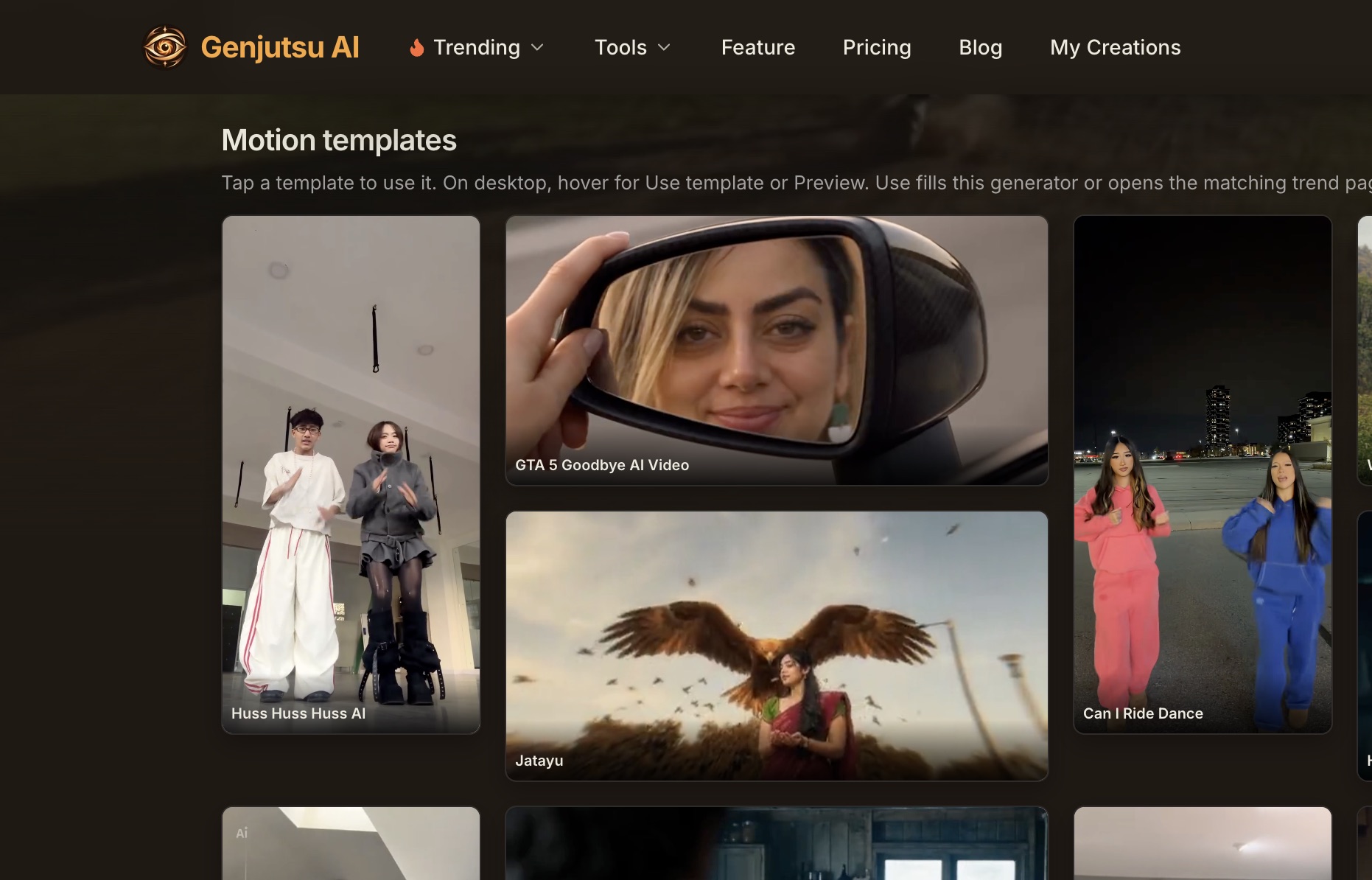
2. Confirm the studio dance clip as your video template
Play the preview in the composer. You should see the duo choreography, low angle, and studio interior. Keep that beat: synced moves → back view → face camera again. Do not crop out legs or boots if you want the remake to read like the template.
3. Keep Objects Swap selected
Objects Swap replaces the two dancers while preserving camera and timing. Use Motion Transfer only if you intentionally upload a different source video and want a heavier rewrite. For this gallery card, Objects Swap is the intended path.
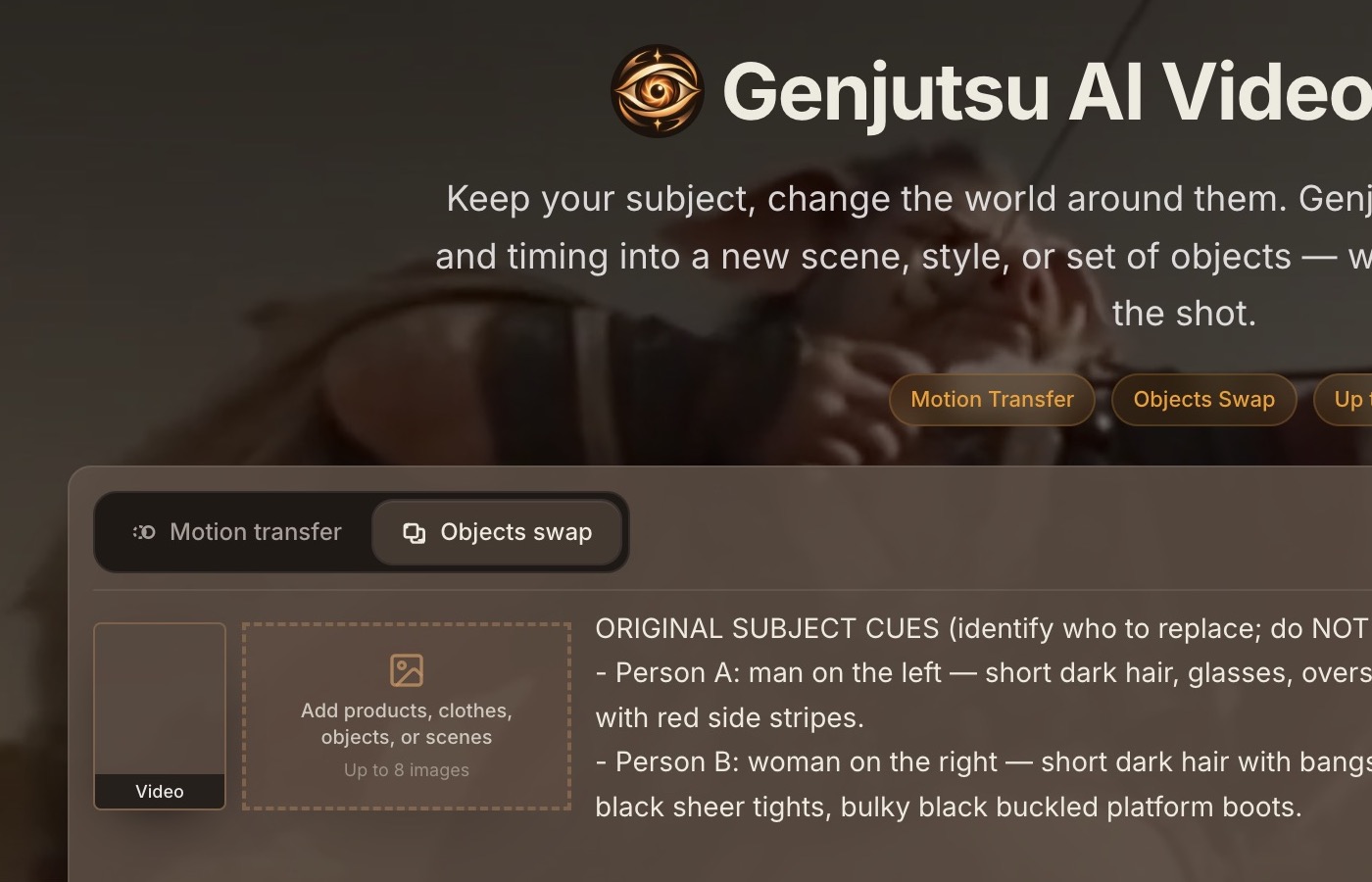
4. Add two authorized adult photos
Use the image upload area next to the template video. Upload in order:
- @Image 1 — left dancer
- @Image 2 — right dancer
Confirm again that both people authorized this use and that both are 18+.
5. Keep the role-mapped prompt
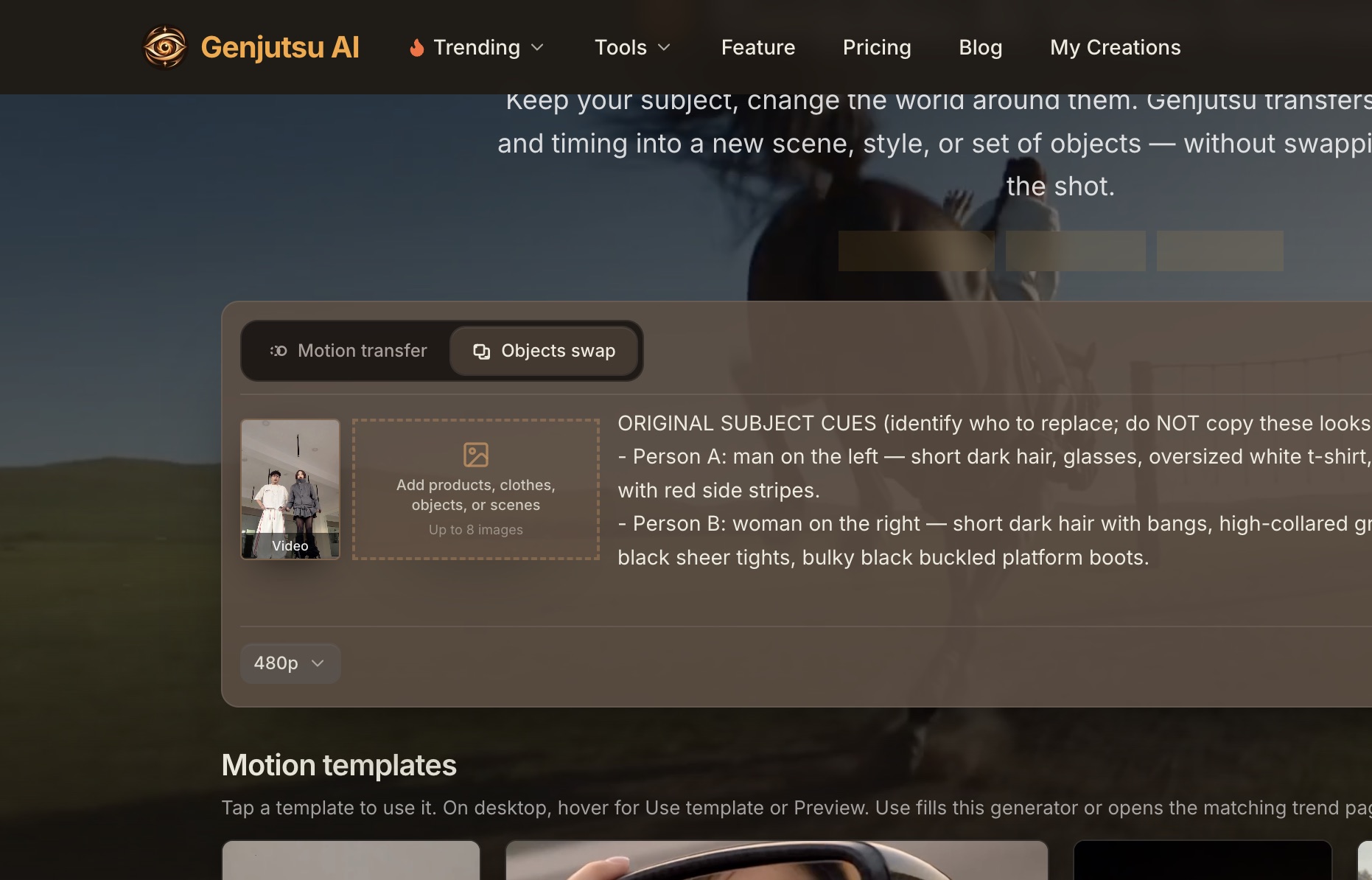
The homepage template already carries a scene-specific prompt (visible in the screenshot above). A shape aligned with it:
ORIGINAL SUBJECT CUES (identify who to replace; do NOT copy these looks onto the replacements):
- Person A: man on the left — short dark hair, glasses, oversized white t-shirt, long necklace, baggy white track pants with red side stripes.
- Person B: woman on the right — short dark hair with bangs, high-collared grey coat over grey pleated mini skirt, black tights, bulky black platform boots.

ROLE MAPPING (same two identities for the whole clip):
- Person A → @Image 1 (left dancer).
- Person B → @Image 2 (right dancer).

SHOT BEAT:
1) Low-angle full-body studio shot — both start the synced dance.
2) Energetic choreography continues — keep left/right roles.
3) Mid-clip turn to show backs, then face the camera for the finish.

Preserve low camera angle, studio mirrors, hanging ceiling straps, lighting, floor reflections, and timing. Use only these authorized likenesses.
Shared identity rules on Genjutsu already push for complete replacement and continuity — you do not need to paste a second “system” block.
6. Pick resolution and generate
Choose 480p, 720p, or 1080p in the composer, review the credit estimate, then generate. Jobs usually take several minutes; you can leave the tab and return from your library when the task finishes. Sign in if the UI asks you to. Start at 480p to check likeness and left/right mapping, then rerun at a higher resolution when framing looks right.
7. Download and post
Download the MP4. For short-form apps, many creators mute the file and attach a trending sound they have rights to use, then enable the platform’s AI label when required. Do not claim the result is a live gym recording of the Roblox audio originator.
Prompt and quality tips
Do
- Keep left =
@Image 1, right =@Image 2unless you intentionally swap for a second take - Lock language like “same low camera,” “same choreography,” “same timing”
- Prefer full-body references when both people travel a tall frame
- Watch the turn-away beat — backs and profiles are where identity often drifts
Expect some AI limits
- Fast arm motion can blur hands; that is normal if the beat still reads
- Baggy pants and bulky boots are hard edges — sharper source photos help
- If roles swap mid-clip, retry with clearer front-facing uploads and the mapping lines above
For another two-person Objects Swap walkthrough on the same site, see How to make a Closing Door Prank AI video.
Huss Huss Huss AI FAQ
Can I make this Genjutsu remake from photos?
Yes. Use the Huss Huss Huss AI homepage template, add two authorized adult photos, keep Objects Swap, and generate.
Is this the same as the gym “In this town” one-photo tools?
No. Those products target a single gym lip-sync. Genjutsu’s card with this name is a two-person studio dance Objects Swap. Same search phrase; different clip and inputs.
Do I need two people?
Two distinct authorized adults match the template. Reusing one photo for both roles can look like a twin gag and usually reads worse.
Does the download include the viral TikTok audio?
Treat audio as separate. Download the MP4 from Genjutsu, then attach a sound only if you have the right to use it on that platform. Genjutsu does not claim ownership of third-party trend audio.
Do I need everyone’s permission?
Yes. Real-person photos must be yourself or adults who authorized this use, and everyone must be 18+.
Is Genjutsu tied to the original meme or Instagram dancers?
No. Genjutsu AI is independent and not affiliated with those creators or with other “Huss Huss Huss AI” websites.
Your turn on the studio floor
One homepage template. Two authorized adult photos. Objects Swap — no dance rehearsal required.