
What the Glow Stick AI video trend is
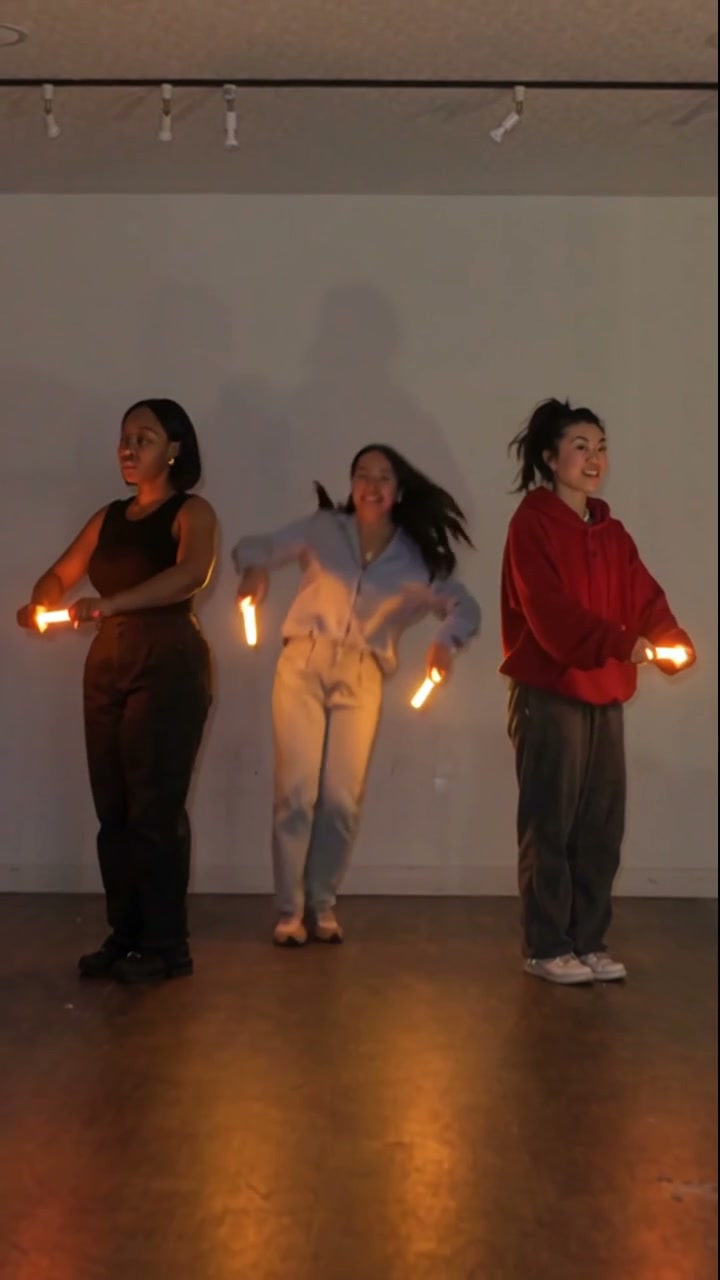
Three people stand in a dim studio and dance with glowing sticks — orange and blue light painting the floor and wall. What spreads is not the original faces but the effect: same choreography, same sticks, your cast.
Upload one photo per dancer (left, center, right). Genjutsu keeps the motion and lighting from the template and restages each role around the likenesses you authorize.
How to make a Glow Stick style AI video
- 1
Upload three photos
Left, center, and right — one person each. Front-facing, even light, eyes open, at least 512 px on the short side.
- 2
Generate the sync dance
Keep the glow sticks, timing, and studio lighting from the template. The three faces map to the three dancers.
- 3
Add audio you have the rights to
Use your own track or a licensed one. Don't rip the audio from the original clip.
- 4
Export vertical and post
9:16, about 10 seconds. Caption with the trend name if you want discovery.
Photo tips that hold up
- Three faces — left, center, right
- Front-facing, eyes open
- Even light, no hard side shadows
- 512 px minimum on the short side
- Permission from everyone in the photos
FAQ
What is the Glow Stick AI video trend?
A vertical sync-dance clip where three people wave glowing sticks in a dim studio. AI versions keep the choreography and light trails, then swap each dancer for someone from your photos.
How many photos do I need?
Three — one for the left dancer, one for center, one for right. Use clear, front-facing photos with permission from each person.
How do I make a Glow Stick style AI video?
Upload three photos in left / center / right order, generate the vertical clip on this page, then add audio you have the rights to before posting.
Can I use the original audio?
No. Use your own track or a licensed one. Pulling audio from the original clip is the fastest way to get a takedown.
What aspect ratio should I export?
9:16 vertical, about 10 seconds. Short single-beat clips travel furthest on Reels, TikTok, and Shorts.
Make your Glow Stick AI video
Upload three clear photos — left, center, right — generate the vertical clip, then add audio you have the rights to before you post.
- Three front-facing photos — one per dancer, with permission
- Vertical 9:16 export, about 10 seconds
- Use licensed or your own audio — never rip the original track