
Jatayu Video Prompt (Free, Copy & Paste)
Turn a short rooftop clip into the Ramayana eagle scene. This Jatayu video prompt is the setup spreading on Instagram right now: you stand in frame, and a giant golden-brown eagle rises behind you and spreads its wings. Below are two prompts — the original public version, reproduced word for word with its source, and our longer expanded version with camera and negative-prompt detail. Both are free to copy; no follow, no comment, no DM.
Updated 17 Nov 2026 · Original public prompt + our expanded version · Nothing stored, no login
Try it here
Upload a selfie, edit the prompt, generate a vertical Jatayu clip.
Your photo
JPG / PNG / WebP
Resolution
Example result
Demo plays until you generate your own clip
The Jatayu Video Prompt (Expanded Version)
Copy this Jatayu video prompt as one block. Paste this whole block into the prompt box. Keep the first sentence — it is what holds your face together across frames.
A vertical 9:16 cinematic shot at golden hour. The uploaded clip is the exact identity reference: keep the face, hairstyle and skin tone unchanged, front-facing, standing calmly in frame. Behind the subject, one giant eagle — red-brown plumage, weathered bronze feathers, hooked beak, wingspan filling the sky — rises slowly from behind the shoulder and spreads both wings wide. Wind lifts loose hair and clothing. Dust and small pebbles drift low across the ground. A small flock of distant birds crosses the horizon. Warm backlight, sun low behind the eagle, soft rim light on the subject's shoulders, gentle atmospheric haze, shallow depth of field. Camera: locked-off medium-wide with a slow push-in, no cuts. Photorealistic, 35mm film grain, high dynamic range, warm amber highlights with deep teal shadows. No text, no logos, no captions, no watermark, no fast movement, no crowd.
This is our expanded version. We wrote it; it is not copied from a creator post. It adds camera, lighting and negative detail to the same scene that is circulating, and it asks for an original eagle rather than a film design. We have not benchmarked it against the original — the original is below, so you can compare both.
The Original Public Prompt
Reproduced word for word from a public Google Flow creator post published 14 November 2026. Formatting only — no words changed.
Giant majestic golden-brown eagle Jatayu standing behind the man, wings fully spread like merging with him, huge detailed feathers, cinematic epic lighting, flock of birds flying around, dramatic cloudy sky with subtle lightning, photorealistic, Ramayana movie style.
Source: a public creator post on Threads (@meta.ai), 14 Nov 2026, 13:55 UTC.
Note: the phrase "Ramayana movie style" points at a film look. If you would rather stay clear of any specific film's character design, use the expanded version above, which asks for an original eagle.
Why publish this line at all: many Reels and YouTube posts only reveal the prompt after a follow or comment, and some top-ranked YouTube descriptions list tags with no prompt. Putting the original text and its source on the page builds trust those pages cannot match.
Negative Prompt (Paste Into the Negative Box if Your Tool Has One)
distorted face, changing facial features, extra fingers, morphing limbs, text, watermark, logo, caption, cartoon, anime, low resolution, flickering frames, duplicated bird, over-saturated colour
This targets the failure people actually hit — the face drifting between frames — not a different art style.
How to Make the Jatayu AI Video
Google Flow — the way the trend actually runs
- Open Google Flow, create a new project, and choose Video + Ingredients (not plain text-to-video).
- Put two ingredients in: a few-second clip of yourself in frame (rooftop or open ground, facing the camera, small movement) plus an eagle reference image.
- Paste the expanded prompt into the prompt box and the negative prompt into the negative box.
- Set resolution to 720p and generate. If the first take is weak, run again and keep the one where the face holds on the first frame.
- Download, trim on your phone to 5–7 seconds, and hit the beat when both wings are fully open.
Edits app — fastest on phone
- Update Edits to the latest version, create a project, and import the same short clip.
- Open AI / image-to-video, upload an eagle reference image, and paste the expanded prompt.
- Set 9:16, push duration to the maximum, generate, and check the face on the first frame.
- Use the in-app music library (not film scores), then export at 1080p.
CapCut — if you want music and captions in one place
- CapCut → image-to-video → import your short clip and add an eagle reference image. This is the usual path for an ai jatayu edit when you want captions and music in the same project.
- Paste the expanded prompt, choose 9:16, generate.
- On the timeline, add a royalty-free epic track and keep music around −18 dB.
- Keep on-screen text to 3–5 words (Jatayu / Ramayana) — no full voiceover — then export.
The Google Flow steps follow the public post linked above. The Edits and CapCut paths are compiled from public tutorials and have not been tested by us — app menus change, so match what you see on screen.
Jatayu Video Prompt Generator
Three options, one prompt. Still the same scene.
A vertical 9:16 cinematic shot at golden hour. The uploaded clip is the exact identity reference: keep the face, hairstyle and skin tone unchanged, front-facing, standing calmly in frame. Behind the subject, one giant eagle — red-brown plumage, weathered bronze feathers, hooked beak, wingspan filling the sky — rises slowly from behind the shoulder and spreads both wings wide. Wind lifts loose hair and clothing. Dust and small pebbles drift low across the ground. A small flock of distant birds crosses the horizon. Warm backlight, sun low behind the eagle, soft rim light on the subject's shoulders, gentle atmospheric haze, subtle lightning in the sky, shallow depth of field. Camera: locked-off medium-wide with a slow push-in, no cuts. Photorealistic, 35mm film grain, high dynamic range, warm amber highlights with deep teal shadows. No text, no logos, no captions, no watermark, no fast movement, no crowd.
Built in your browser from the prompt above — nothing is stored, nothing to sign up for. If you want a different mood or a different scene, change the prompt yourself; this tool only adjusts these three details.
FAQ
Is the Jatayu video prompt free?
Yes. Both versions on this page are free to copy — no login, no follow, no comment, no DM.
Which AI tool is this Jatayu Video Prompt for?
Google Flow is where the trend started, using its Video + Ingredients mode with a short clip and an eagle reference image. The text also works in the AI video features of Edits and CapCut; if a tool rejects it, keep the first two sentences and drop the rest.
Can I use my own photo or video?
Yes — that is the point. Use footage where your face is clearly visible, front-facing, and where you are the only person in frame. The background gets replaced, so where you film matters less than how clearly you are lit.
Why does my face look distorted or like someone else?
Three fixes, in this order: use a shorter, sharper source clip; generate two or three times and keep the take where the face holds; make sure only one person is in the source. Adding words to the prompt does not fix faces — cleaner source footage does.
Is Jatayu a god or a film character?
Jatayu is the eagle from the Ramayana who tries to stop Ravana. The character is not owned by any studio, but specific film and series designs are. That is why our expanded prompt asks for an original eagle with no recognisable character design, and why we flag the phrase "Ramayana movie style" in the public version.
Can I write the prompt in Hindi or Telugu?
You can, but English gives better results in these tools today. Keep the prompt in English and put Hindi or Telugu in your caption, title and on-screen words instead — that is what your audience actually reads.
How long is the video, and how long does it take?
One generation gives a few seconds, which is what the trend needs; Flow can extend it. Generation itself takes a couple of minutes once your source clip and reference image are ready.
Can I post it and monetise it?
The prompt text is free to use. The clip you generate with your own footage is yours to post. Do not use film soundtracks or film clips, and keep the eagle design generic — that keeps your reels clear of copyright claims.
What It Looks Like
Made with the public prompt above
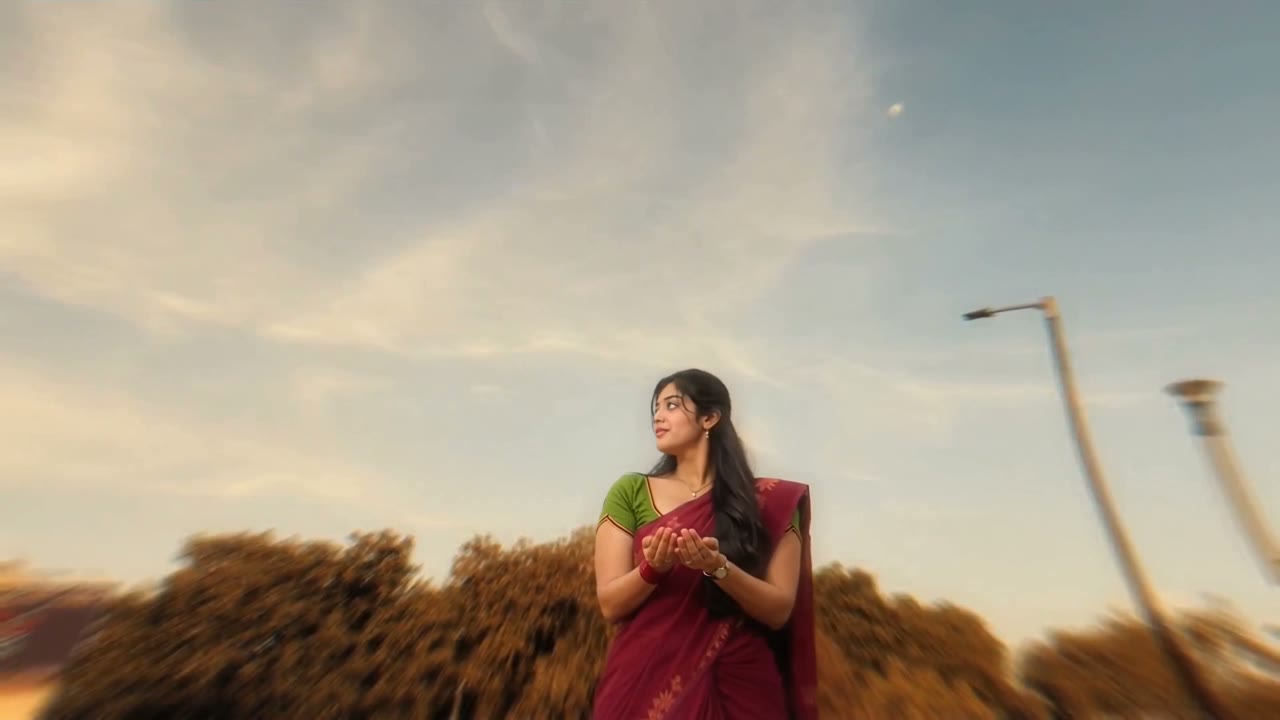
Jatayu AI video made with Google Flow — eagle spreading its wings behind the subject at golden hour