
Higgsfield Genjutsu Alternative: Motion Transfer & Object Swap Without a Subscription
Looking for a Higgsfield Genjutsu alternative? Compare workflows, pricing, limitations, and how to try Motion Transfer or Object Swap with prepaid credits.
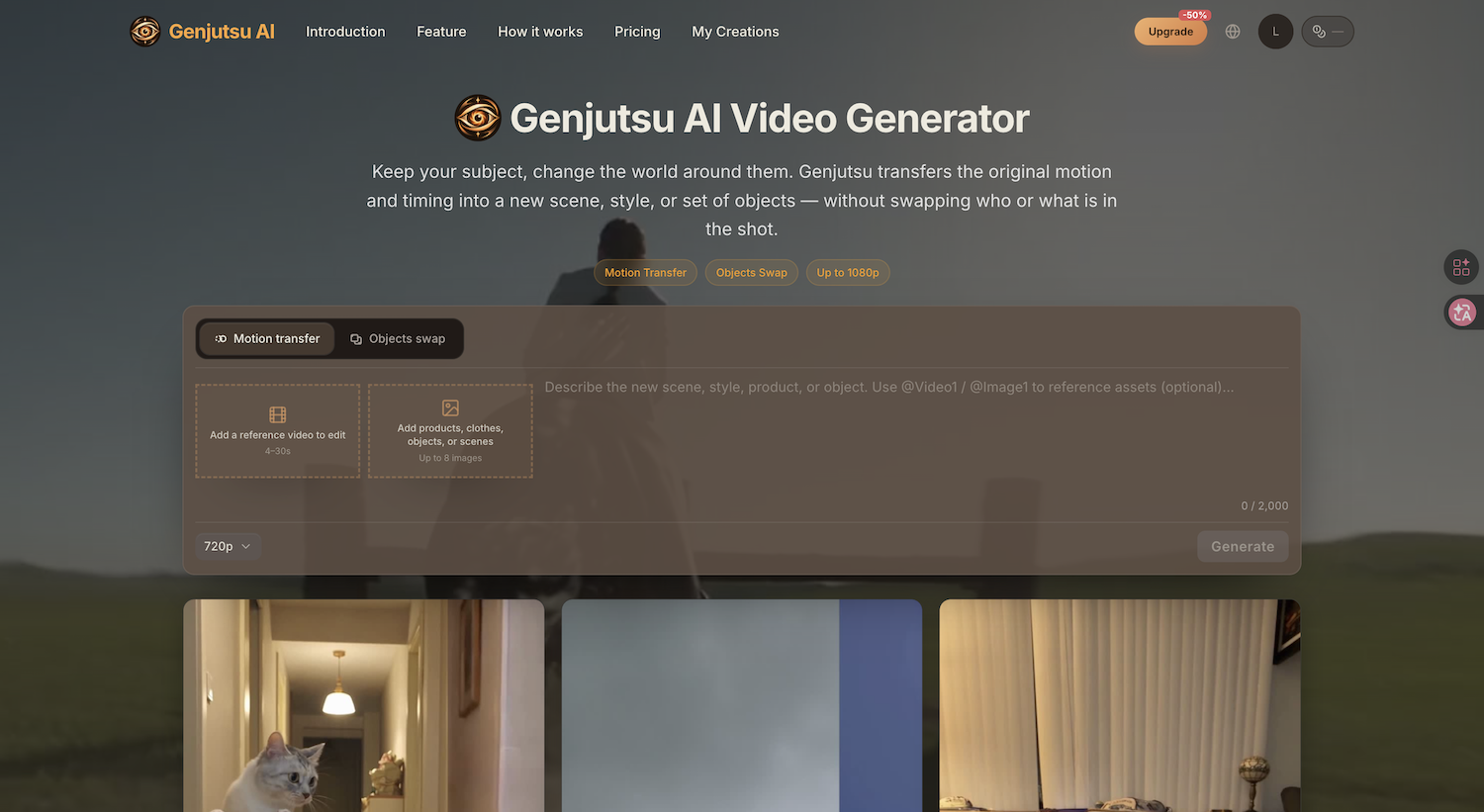
If you searched for a Higgsfield Genjutsu alternative, you probably want one thing: to edit an existing video without recreating its timing, movement, and camera work from scratch. You may also want to avoid paying for a whole creative suite when you only need a handful of video edits.
Genjutsu AI offers a focused, browser-based way to access Higgsfield Genjutsu workflows with one-time prepaid credits instead of a recurring subscription. It is an independent website powered by the Higgsfield Genjutsu model, not Higgsfield's official product.
What does Higgsfield Genjutsu do?
Genjutsu is a video-to-video editing workflow. Rather than generating an entirely new clip from a text prompt alone, it starts with your source footage and uses that footage as a guide for movement, timing, framing, and camera motion.
Two common editing workflows are:
- Motion Transfer: Use the source clip's motion and timing as a reference when changing the visual presentation, scene, or style.
- Object Swap: Replace a chosen object or prop in the shot, using a reference image or clear instructions, while aiming to preserve the surrounding scene.
These are not guarantees of pixel-perfect preservation. Fast movement, occlusion, difficult camera angles, or unclear references can change the quality of the result.
Motion Transfer example: keep the original timing and staging while restyling the scene.
Why look for an alternative?
Many video creators only need occasional jobs: a product variation for an ad, a quick prop replacement, or a stylistic experiment. A monthly subscription may be worthwhile for teams using a broad range of AI tools, but it can feel excessive if you only need a few clips.
GenjutsuAI.net focuses on those narrower workflows:
- Prepaid credits: Buy a one-time credit pack rather than committing to a monthly plan.
- A direct workflow: Upload your clip, supply reference images, describe your change, and generate.
- Cloud processing: No local GPU or ComfyUI installation is required.
- Up-front estimates: The generator shows estimated credit usage before you submit a job.
Prepaid does not automatically mean cheaper per generation. The better option depends on clip duration, output settings, how many attempts you need, and how much you use other Higgsfield tools.
Genjutsu AI vs. official Higgsfield Genjutsu
Both experiences provide access to Genjutsu-style video editing, but they serve somewhat different needs.
Choose GenjutsuAI.net when:
- You mainly want Motion Transfer or Object Swap rather than a larger creative suite.
- You prefer buying credits only when you have a project to finish.
- You want a straightforward browser workflow for an occasional video edit.
Consider the official Higgsfield product when:
- You use several Higgsfield tools frequently.
- A broader subscription is a better match for your production volume.
- You need a specific official feature, preset, or workflow that is not offered on the independent site.
Important: GenjutsuAI.net uses Higgsfield Genjutsu technology. This is primarily a difference in product experience and payment structure, not a claim that a different model produces better output.
Three practical edits to try
Object Swap style edit: replace a subject or prop while aiming to keep the surrounding shot intact.
1. Swap a product in an existing ad
Start with a tracking shot of a bottle or package. Add a reference image of the replacement item and describe the precise change:
Replace the bottle on the table with the product in the reference image. Keep the original camera move, lighting direction, and shot timing.
The more closely your reference matches the original object's size and camera angle, the easier it is to communicate the intended edit.
2. Change the setting while keeping the performance
Use the original clip as a motion guide, then describe a new environment:
Keep the original movement and camera framing. Restage the scene as a rainy neon-lit street at night.
Treat this as an artistic transformation, not a guarantee that every background detail stays the same.
Scene rewrite example: use the source clip as a motion guide, then restage the environment.
3. Try a different visual style
Convert a short clip into an illustrated, cinematic, or vintage-looking treatment while using the source motion as a guide. Start with a short, clear clip before investing credits in more complex footage.
How to get started
- Open the Genjutsu AI video generator.
- Upload your original video. The main generator accepts 4–30-second clips.
- Choose Motion Transfer or Objects Swap.
- Add suitable reference images if needed, and write a specific instruction.
- Select an available resolution and check the estimated credits.
- Generate, review the result, and download it when complete.
For reference-driven edits, the generator supports up to eight reference images. Use clear images that communicate the same intended subject, object, or scene.
Can it replace real people in videos?
Some searches for “Genjutsu alternative” are really about replacing a person or matching another person's identity. Do not assume that every face or identity replacement request is supported. Supported inputs and edits can depend on the specific workflow, model, and current content rules.
If person replacement is your main goal, verify that the current generator supports your intended edit before buying credits. Use footage and likenesses you have permission to edit; do not create deceptive impersonations.
For product, prop, style, and environment editing, the workflows above are a clearer place to begin.
Is Genjutsu AI free or cheaper than Higgsfield?
GenjutsuAI.net is a paid, credit-based service. You can explore the editor without buying a recurring subscription, but generation requires sufficient credits.
There is no honest universal answer to which site is cheaper. Compare your expected number of clips, the cost shown before generation, and whether you need the broader features available through Higgsfield.
See the current credit options before making a purchase.
Frequently asked questions
Do I need a Higgsfield subscription?
No. GenjutsuAI.net offers its own prepaid-credit checkout for supported Genjutsu workflows.
Is GenjutsuAI.net an official Higgsfield website?
No. It is an independent website using Higgsfield Genjutsu technology.
Is Motion Transfer the same as Object Swap?
No. Motion Transfer uses movement and timing as a guide for a broader visual transformation. Object Swap is aimed at replacing particular elements within the shot.
Will the output always match the original camera movement?
That is the goal of the workflow, but results vary with your source video, reference materials, and requested edit. Review outputs before using them in production.
Final thoughts
If you need the full Higgsfield creative suite regularly, the official product may be a better fit. But if you primarily want to experiment with Motion Transfer and Object Swap on a few clips, a prepaid-credit workflow can be more convenient.
Try Genjutsu AI — upload a video and see the estimated credit cost.